SweepTag Documentation
Welcome to SweepTag — a mobile app for barcode generation, asset management, and inventory tracking. This documentation is designed for all users, whether you're an IT manager, field technician, system administrator, hobbyist, or just looking to generate barcodes.
Quick Navigation
- Getting Started — Set up SweepTag in 5 minutes
- User Stories — Real-world scenarios for different roles
- Feature Guides — Detailed walkthroughs for each capability
- Configuration Reference — All settings and customization options
- API & Integrations — Lansweeper, file export to folder/SMB/iCloud/OneDrive/Google Drive, local collections, and custom workflows
- Use Cases — Common workflows and how to achieve them
- FAQ — Troubleshooting and common questions
- Limitations & Roadmap — What's possible now and what's coming
- Asset Types — Track different kinds of assets in one collection, each with its own extra fields
- Data, Privacy & Reset — Where your data lives, how to back it up, and how to erase everything
What is SweepTag?
SweepTag is an asset and barcode management app that works both online (with Lansweeper) and offline (with local collections). It lets you:
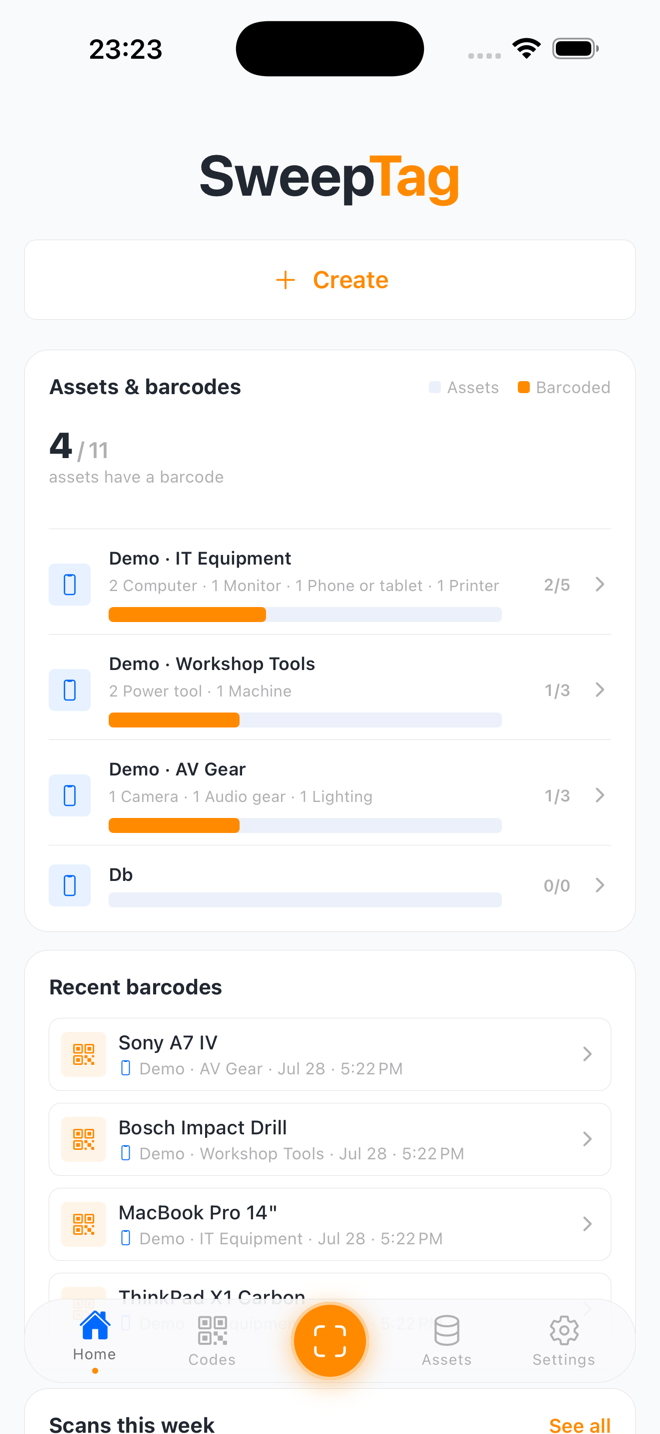
- ✅ Generate QR codes and Code 128 barcodes for any asset
- ✅ Integrate with Lansweeper to barcode your entire IT infrastructure
- ✅ Create local inventory collections for tools, equipment, or personal items
- ✅ Import existing assets into a collection from CSV or JSON files
- ✅ Filter and sort a collection's asset list — by any field, barcode presence, date added, or warranty status
- ✅ Mix multiple asset types (Computer, Monitor, Printer, …) in one collection, each with its own extra fields
- ✅ Generate standalone codes — Wi-Fi network QR, links, and plain text
- ✅ Scan barcodes and log asset interactions
- ✅ Print professional barcode labels
- ✅ Organize barcodes into virtual file trees
- ✅ Export CSV/JSON, or mirror the barcode files out to a folder, SMB share, iCloud, OneDrive, or Google Drive
- ✅ Diagnose export and sign-in problems with an on-device activity log (credentials redacted)
- ✅ Work fully offline
Key Features at a Glance
| Feature | Local Collections | Lansweeper | Both |
|---|---|---|---|
| Create/manage assets | ✅ | ❌ | ✅ |
| Custom fields (9 types) | ✅ | ❌ | ✅ |
| Import assets (CSV/JSON) | ✅ | ❌ | ✅ |
| Advanced filters & sort | ✅ | ❌ | ✅ |
| Generate barcodes | ✅ | ✅ | ✅ |
| Scan barcodes | ✅ | ✅ | ✅ |
| Print labels | ✅ | ✅ | ✅ |
| Virtual file trees | ✅ | ✅ | ✅ |
| File export (folder/SMB/iCloud/OneDrive/Google Drive) | ✅ | ✅ | ✅ |
| Activity/diagnostic log | ✅ | ✅ | ✅ |
| Lansweeper integration | ❌ | ✅ | ✅ |
| Multi-collection support | ✅ | ✅ | ✅ |
| Offline-first | ✅ | ✅ (cached) | ✅ |
Getting Started
First time? Start with Getting Started — it covers installation, initial setup, and your first barcode in under 5 minutes.
Know what you want to do? Jump to Use Cases or Feature Guides.
Have questions? Check FAQ or search this documentation.
Who This Doc Is For
- IT Asset Managers — Track and barcode your entire infrastructure via Lansweeper
- Field Technicians — Scan and log asset interactions on-the-go, offline
- System Administrators — Set up integrations, manage custom fields, and configure workflows
- Hobbyists & Makers — Create local collections for tools, hobby items, collectibles
- Barcode Enthusiasts — Generate and print barcodes for anything
App Modes
SweepTag operates in two modes, which can run simultaneously:
Local Mode
Create and manage your own asset collections. Perfect for:
- Tool libraries and equipment inventories
- Personal collections
- Small business assets
- Offline-first workflows
Supported field types: Text, multiline text, numbers, dates, choices, URLs, emails, phone numbers, checkboxes, and grouped fields.
Asset types: One collection can hold several kinds of assets (e.g., Computer, Monitor, Printer). All assets share the collection's common fields, and each type adds its own extra form section. See Asset Types.
Lansweeper Mode
Connect to your Lansweeper instance to barcode your IT infrastructure. Perfect for:
- Enterprise asset management
- Multi-site IT inventory
- Automated asset sync
- IT workflow integration
Supported: Multi-site queries, asset browsing, search, barcode generation, custom field creation, write-back to Lansweeper.
What's Next?
- New to SweepTag? → Getting Started
- Looking for your specific workflow? → Use Cases
- Want to explore all features? → Feature Guides
- Need advanced setup? → Configuration Reference
- Stuck? → FAQ
Version: 1.2.10
Last Updated: August 2026
Platform: iOS & Android (Expo SDK 54)
Publisher: Sweepfull (sweepfull.eu)
License: See repository